A connector is a stand-alone Java application that connects to a data source and retrieves data. With Brinqa connectors, organizations can automate, simplify, and streamline the process of extracting data for analysis while simultaneously accomplishing critical goals of data transformation, normalization, and contextualization.
The Brinqa connector framework formalizes the ways of interconnection between systems via Application Programming Interfaces (APIs), database extracts, and structured formats like comma-separated values (CSV), JavaScript Object Notation (JSON), and Extensible Markup Language (XML). The Brinqa connector library includes connectors to hundreds of systems covering configuration management database (CMDB), asset management, vulnerability monitoring, threat intelligence, patch management, identity provider (IDP), intrusion prevention system (IPS), security ratings, ticketing, task management, and more.
The Integrations > Connectors page, also known as the Brinqa connector store, contains the connectors that Brinqa supports:
On this page, you can search for a specific connector by typing in the search bar, or you can click the Categories menu to filter them by their purpose (Application Security, Asset Management, Vulnerability Management, etc.).
You can also filter the connectors by selecting Installed to view the connectors you have already installed or Updates to see which connectors have available updates. Brinqa recommends that you apply updates to the connectors you have installed as soon as they are made available. You can also use the Integration+ filter to display connectors that come preconfigured with mappings to Brinqa's unified data models and attributes. See Integration+ connectors for additional information.
Before you can use a connector in a data integration, you must install it first. To do so, follow these steps:
Navigate to the connector store (Integrations > Connectors).
Click Integration+ to display the Integration+ connectors.
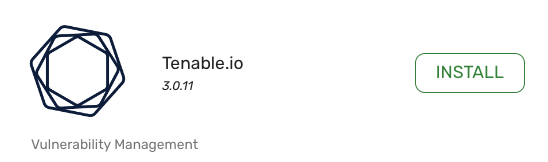
Locate the connector you want to install and click Install.
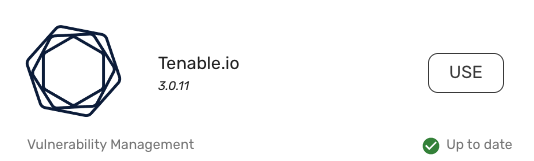
Once the connector is installed, the Install button turns into a Use button. Click Use to configure the connector and begin importing data.
Repeat these steps for each connector you want to use. For information on how to configure your connectors, see create a data integration and the individual connector documentation.
When updates for connectors become available, it's important to apply these updates to leverage the latest functionalities.
To see if a connector update is available, navigate to Integrations > Sources. The Connector version and Update available columns display the current version of the connector and whether an update is available or not, respectively.
To update an installed connector in the Brinqa Platform, follow these steps:
Navigate to the connector store (Integrations > Connectors).
Click the Updates filter. This displays all connectors with available updates.
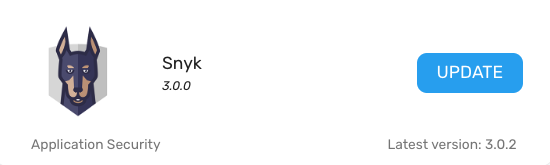
Locate the connector you want to update and click Update.
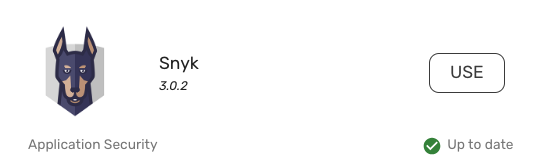
Once the connector has been updated, the Update button turns into a Use button.
Updating connectors can introduce a variety of new functionalities, such as support for additional objects and attributes that the connector brings in, improvements to the connector's API framework, performance improvements, bug fixes, security enhancements, and more. Brinqa recommends that you update your connectors when updates are available to ensure you are taking full advantage of the latest improvements and capabilities. For more details on the latest connector updates, see Integration+ connector releases.
Brinqa implements a robust security framework to ensure that sensitive data, such as your API keys, client secrets, and passwords, are securely stored and protected from unauthorized access. Some ways that Brinqa secures your credentials includes:
Encryption: All credentials, such as client secrets, passwords, and API keys, are encrypted before they are stored in Brinqa's secure vault database. We use industry-standard encryption algorithms to protect data both at rest and in transit. Your credentials are never exposed in plain text.
Secure storage: Credentials are stored in a secure vault within the Brinqa Platform. This vault provides a high level of security, ensuring that sensitive information is isolated and protected from unauthorized access.
Filesystem encryption: The underlying filesystem where encrypted credentials are stored is also encrypted. This additional layer of security ensures that, even if access to the storage layer is compromised, the data remains encrypted and protected.
Regular audits and monitoring: Brinqa conducts regular security audits to ensure that our systems comply with the latest security standards and best practices. Continuous monitoring is also in place to detect any anomalies or potential threats. This proactive approach allows us to address issues promptly and ensure the ongoing security of your credentials.
Compliance: Brinqa adheres to stringent security standards and compliance requirements. Brinqa's security practices are designed to meet industry regulations, and we continually update our security measures to align with evolving compliance standards.
Integration+ connectors in the Brinqa Platform provide you with a streamlined method of bringing in and appropriately mapping your data. Integration+ connectors are pre-configured with the necessary mappings to Brinqa's unified data models (UDM) and attributes, offering you out-of-the-box compatibility with Brinqa's standardized schema for datasets. When you use an Integration+ connector, you save time and effort as you are not required to manually map the data from the connected data source to the UDM. The connector already understands how to normalize the incoming data into the format the Brinqa Platform expects, effectively "speaking the language" of the Platform.
In addition to prebuilt mappings and auto-consolidation, Integration+ connectors also apply key normalization and transformation processes to enrich your data. These include generating additional date fields, creating status values, and risk normalization, ensuring that your data is not only mapped correctly but also fully prepared for use across Brinqa's features and analytics.
Non-integration+ connectors
While you can install and use non-integration+ connectors, Brinqa recommends using only Integration+ connectors. Using non-Integration+ connectors can lead to consolidation and data mapping inconsistencies and potential issues with your data. If you need assistance or have questions about connectors, please contact your Brinqa Support team.
In contrast to most Integration+ connectors, non-Integration+ connectors do not automatically map the data they retrieve to UDM attributes. In these cases, you, a member of your team, or a Brinqa Support specialist must manually configure the attribute mappings. Certain Integration+ connectors, such as Azure DevOps, Brinqa Connect, CSV Connector, JSON Connector, and ServiceNow, also require manual mappings due to the dynamic nature of the data they retrieve.
To view the attribute mappings, follow these steps:
Navigate to Administration > Data > Models.
Navigate to the data model you want to view the mappings for. For example, Host.
On the left-hand side of the page, click Consolidation.
Locate the section on the page titled "Attribute mappings" to view the mappings.
 > Data > Models.
 Adaptive Shield
 Amazon Access Analyzer
 Amazon API Gateway
 Amazon App Runner
 Amazon CloudTrail
 Amazon Control Tower Aggregator
 Amazon DynamoDB
 Amazon EC2
 Amazon ECR
 Amazon ECS
 Amazon EKS
 Amazon Elastic Beanstalk
 Amazon ELBv2
 Amazon IAM
 Amazon Inspector
 Amazon Lambda
 Amazon S3
 Amazon SSM
 Aqua Enterprise
 Aqua SaaS
 AppOmni
 Armis
Armis AssetNote
 Axonius
 BitSight
 Bishop Fox Cosmos
 BloodHound Enterprise
 Black Duck Continuous Dynamic
 Black Duck Coverity (REST)
 Black Duck Coverity (SOAP)
 Black Duck Polaris Platform
 Black Duck SCA
 BMC Helix
 BMC Remedy
 Bugcrowd
 Burp Suite Enterprise
 Burp Suite Professional
 Censys
 Checkmarx One
 Checkmarx SAST
 Check Point CloudGuard
 Cisco
Cisco CISA Known Exploited Vulnerabilities
 Claroty xDome
 Cobalt
 Contrast Security
 Cortex
 CrowdStrike Cloud Security
 CrowdStrike Endpoint Security
 CrowdStrike SaaS Security
 CSV Connector
 CVE Program
 CyCognito
 Dependency Track
 Device42
 Edgescan
 Endoflife.date
 Endor Labs
 Entro Security
 First EPSS
 Exterro FTK
 Fleet
Fleet Flexera IT Visibility
 Flexera Software Vulnerability Research
 Forescout eyeInspect
 Fortify Software Security Center
 Fortify Static Code Analyzer
 Fortify WebInspect
 GitGuardian
 GitHub
 GitHub Advisory Database
 GitLab
 Google Cloud Asset Inventory
 Google Security Command Center
 Google Threat Intelligence
 HackerOne
 Halo Security
 Horizon3.ai NodeZero
 Imperva WAF
 InfoBlox DDI
 Intigriti
 Invicti Enterprise
 Invicti Platform
 IONIX
IONIX IriusRisk
 Ivanti Security Controls
 Jamf Pro
 Jenkins
 JFrog Artifactory
 JFrog Xray
 Jira Cloud
 Jira
Jira Jira Insight
 JSON Connector
 LDAP
LDAP LeanIX EAM
 ManageEngine ServiceDesk Plus
 Mandiant
 Mend.io
 Microsoft Azure Compute
 Microsoft Azure DevOps
 Microsoft Defender for Cloud
 Microsoft Defender for Endpoint
 Microsoft Endpoint Configuration Management
 Microsoft Intune
 Microsoft Security Response Center
 NetBox
 NetSPI
 NIST NVD
 Noname Security
 NowSecure Auto
 NowSecure Workstation
 Obsidian Security
 Offensity
 OffSec Exploit-DB
 Okta
Okta Onapsis
 OpsLevel
 Orca
Orca PagerDuty
 Parquet Connector
 Pentera
 PlexTrac
 Prisma Cloud
 Prisma Cloud Compute
 ProjectDiscovery
 Qualys Container Security
 Qualys Cybersecurity Asset Management
 Qualys Policy Compliance
 Qualys Policy Compliance Reporting Service
 Qualys Total Cloud
 Qualys Vulnerability Management
 Qualys Web Application Scanning
 RAD Security
 Rapid7 InsightAppSec
 Rapid7 InsightCloudSec
 Rapid7 InsightVM
 Rapid7 Nexpose Data Warehouse
 Rapid7 Nexpose
 Recorded Future
 Recorded Future ASI
 Red Hat Satellite
 RSA Archer
 runZero
 Salesforce
 SCIM
SCIM SecurityBridge
 SecurityScorecard
 Semgrep
 SentinelOne
 ServiceNow
 ServiceNow API
 Snyk
Snyk SonarQube
 Sonatype Nexus IQ
 SQL Connector
 Tanium Asset
 Tanium Comply
 Team Dynamix
 Tenable Nessus
 Tenable Web Application Scanning
 Tenable.io
 Tenable.sc
 ThreatConnect
 Trend Micro Cloud Conformity
 Trend Micro Deep Security
 Trend Micro Vision One
 TruffleHog
 Upwind
 Veracode
 VulnDB
 watchTowr
 Wiz
Wiz Lansweeper
 AttackForge
 Onspring
 Splunk
 Microsoft Defender for EASM
 Akto
Akto Cortex Cloud
 Cortex XDR
 Cortex Xpanse
 SysReptor
 OSV
OSV Security Reporter